Attach IAM Role to Workspace

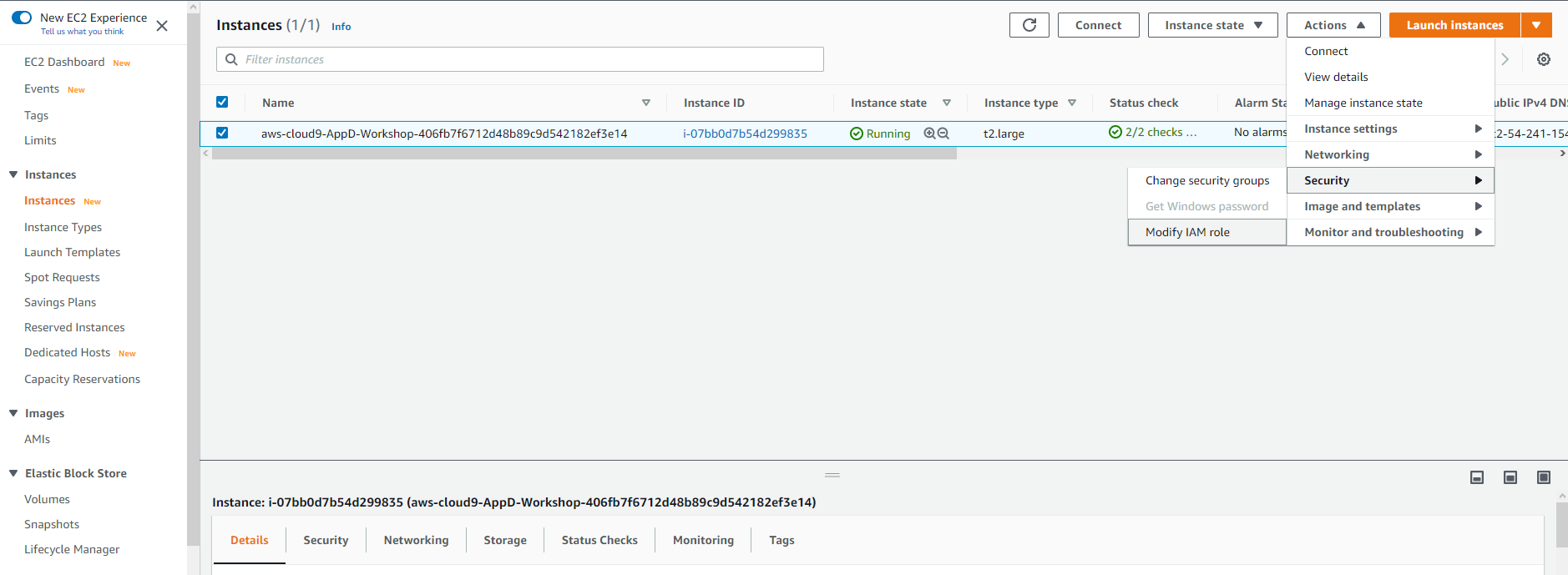
| 1. | Select the instance, then choose Actions / Security / Modify IAM Role |
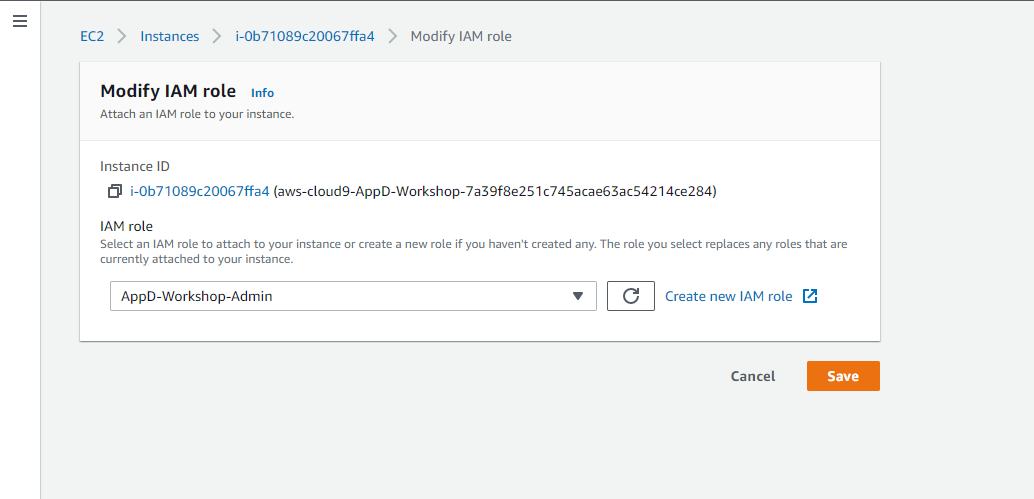
| 2. | Choose AppD-Workshop-Admin from the IAM Role drop down, and select Save |
| 1. | Select the instance, then choose Actions / Security / Modify IAM Role |
| 2. | Choose AppD-Workshop-Admin from the IAM Role drop down, and select Save |